Your own
software house.

Describe what your business needs. Build it with Claude Code or Codex, test it with your team and publish it for your colleagues. Software House brings shared projects, automated workflows, hosting and AI insights together.

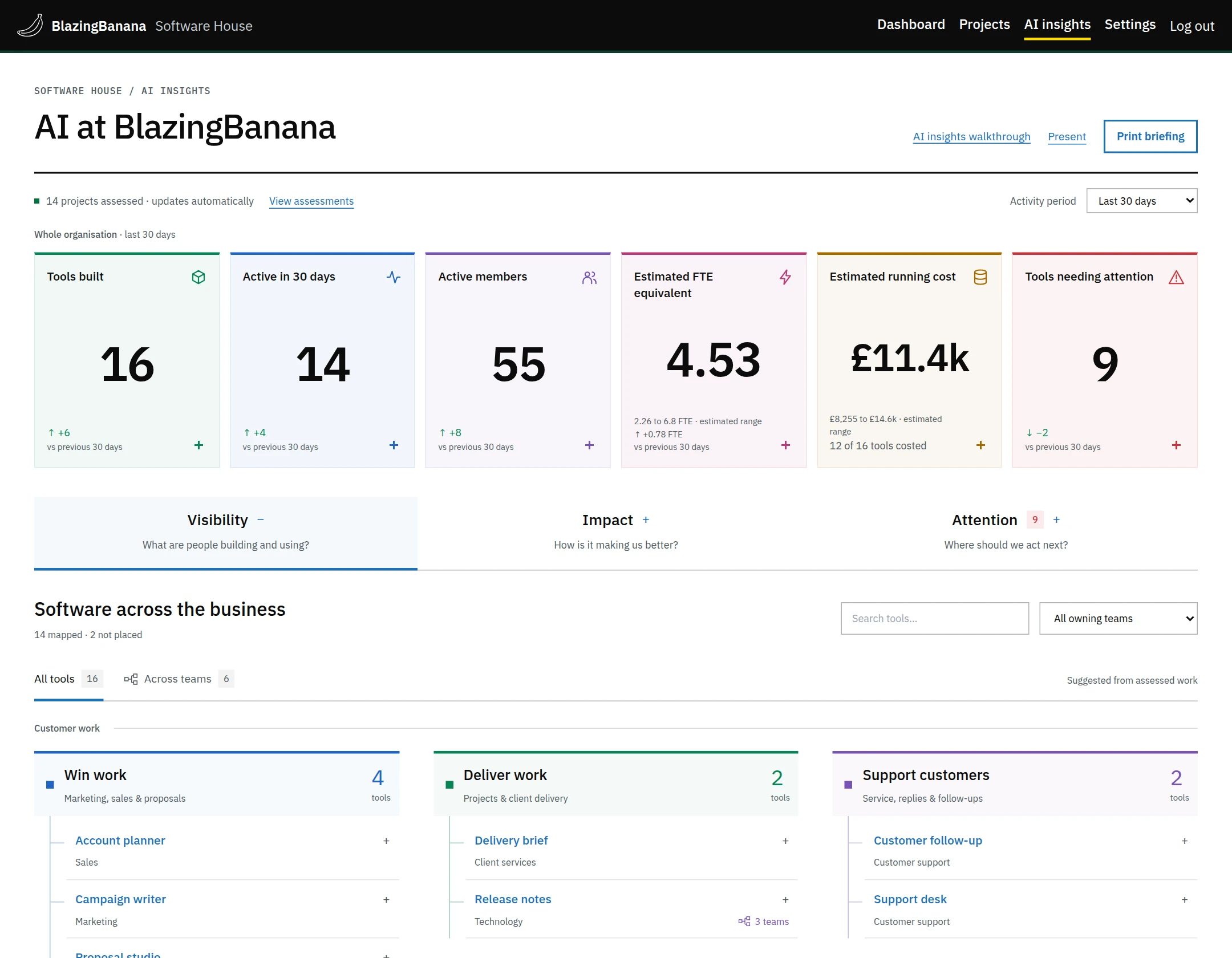
AI insights overview showing tool usage, running costs, estimated staff capacity and tools needing review.
Fig. 1. AI insights. Capacity and value are estimates. View full screenshot ↗

AI insights demo

AI insights · 94 seconds

Request desk

  1. The request

    An operations colleague asks for a desk to manage incoming requests. Each request needs an owner and a due date.

  2. A change after testing

    They try the first version, then ask for an owner filter and a way to spot requests due today.

  3. Publication

    An authorised person publishes a version for colleagues. The organisation can require a separate approver.

  4. Usage records

    The tool’s report shows whether colleagues use it and what work it completes. Its owner can check for reviews that are due.
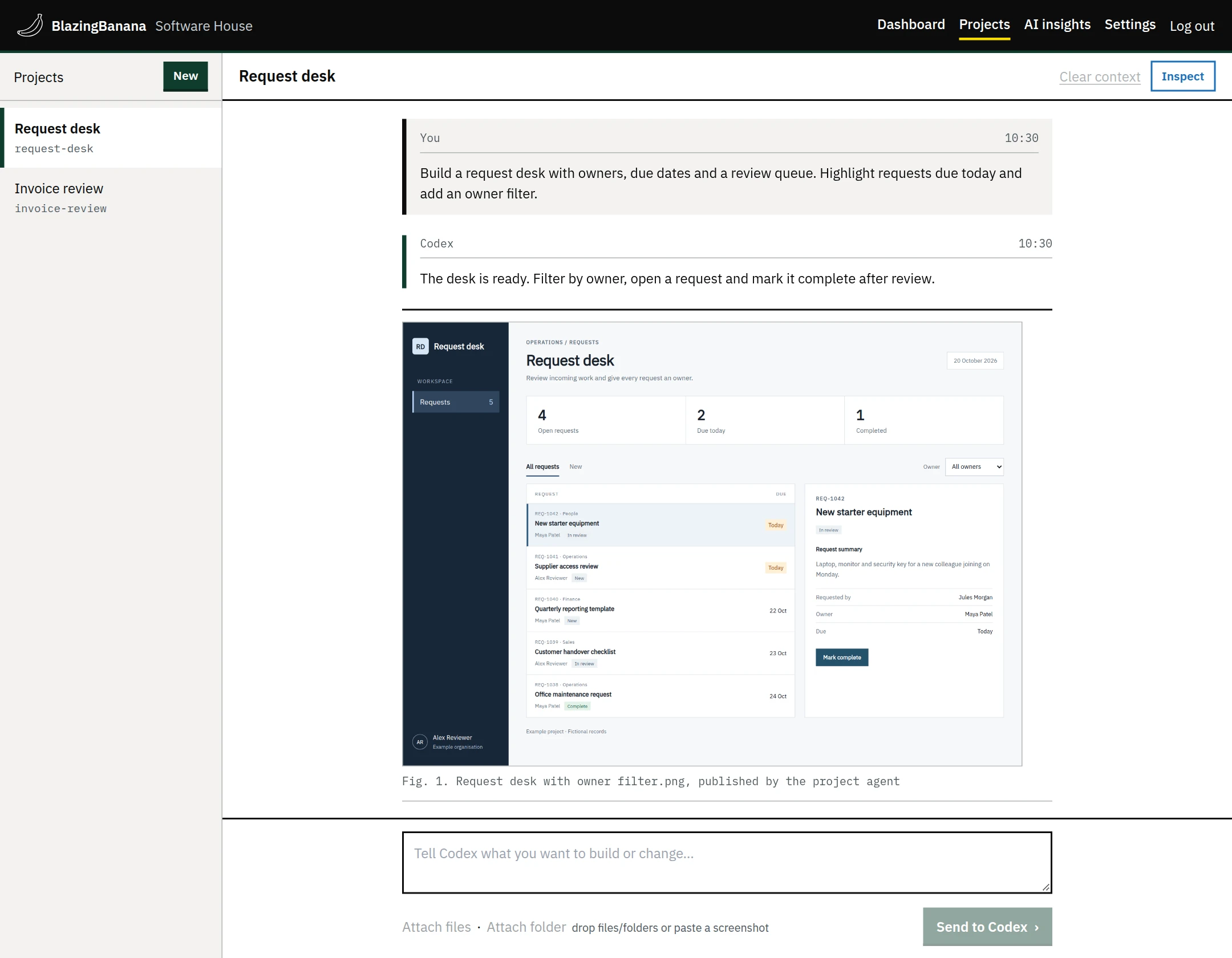
Request desk conversation with the app’s screenshot in a reply. The app lists requests by owner and due date.
Fig. 2. Building the request desk in the project conversation. View full screenshot ↗

Usage reports

AI insights groups tools by the team that owns them or the work they support. Open a tool’s report to inspect its activity and running costs.

Visits and completed work are recorded. Estimates of time saved show the assumptions used to calculate them.
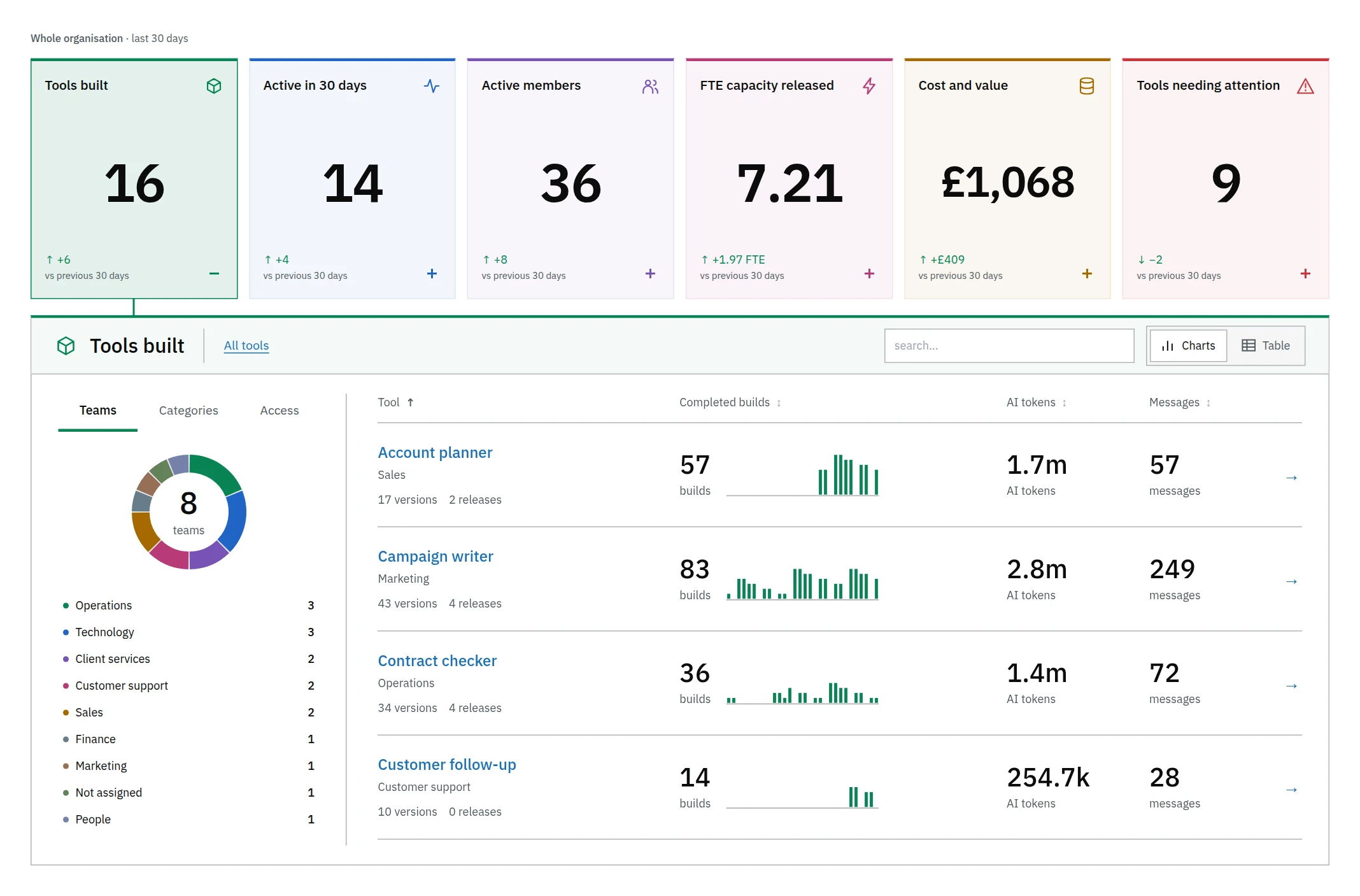
Tools built report with build counts and AI usage for each tool, grouped by team.
Fig. 3. Build activity by tool and team. View full screenshot ↗

Hosting and AI accounts

The standard installation runs on a dedicated Ubuntu server. You can also use a supported Kubernetes environment.

Colleagues can connect their own supported Claude or ChatGPT subscriptions. Administrators can connect the organisation’s own OpenAI or Anthropic API keys. Your AI provider bills you directly.

Hosting and downloads

Choose hosted Software House or install it on infrastructure you manage.

Download and host it yourself

Download a signed release to run on infrastructure you manage. You’ll need a dedicated server or a supported Kubernetes environment.

Download Software House

Installation requirements and guide →

Choose a hosted instance

Choose your hosting plan and where it runs, then review the monthly cost.

Create your account