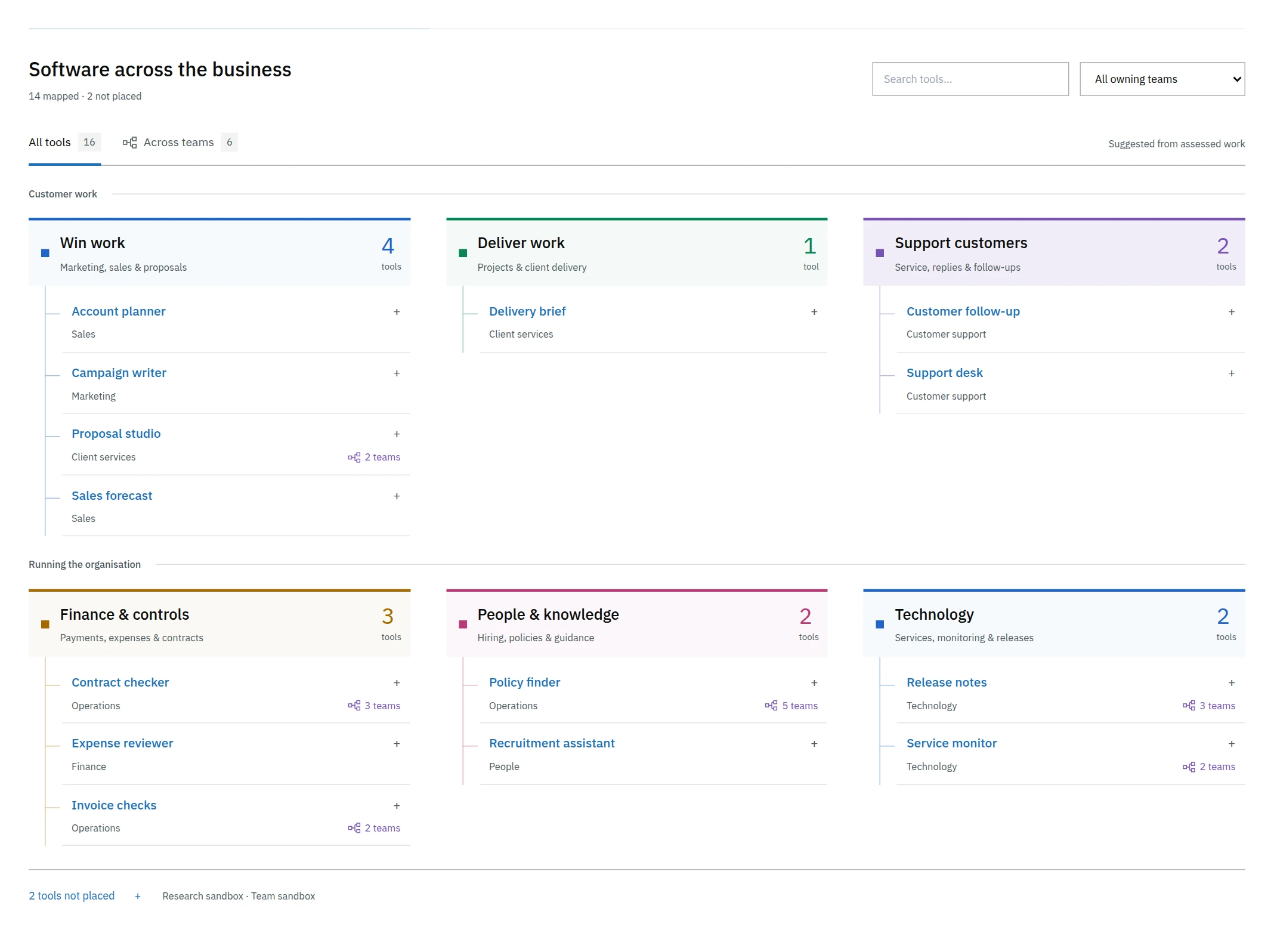
Tool reviews
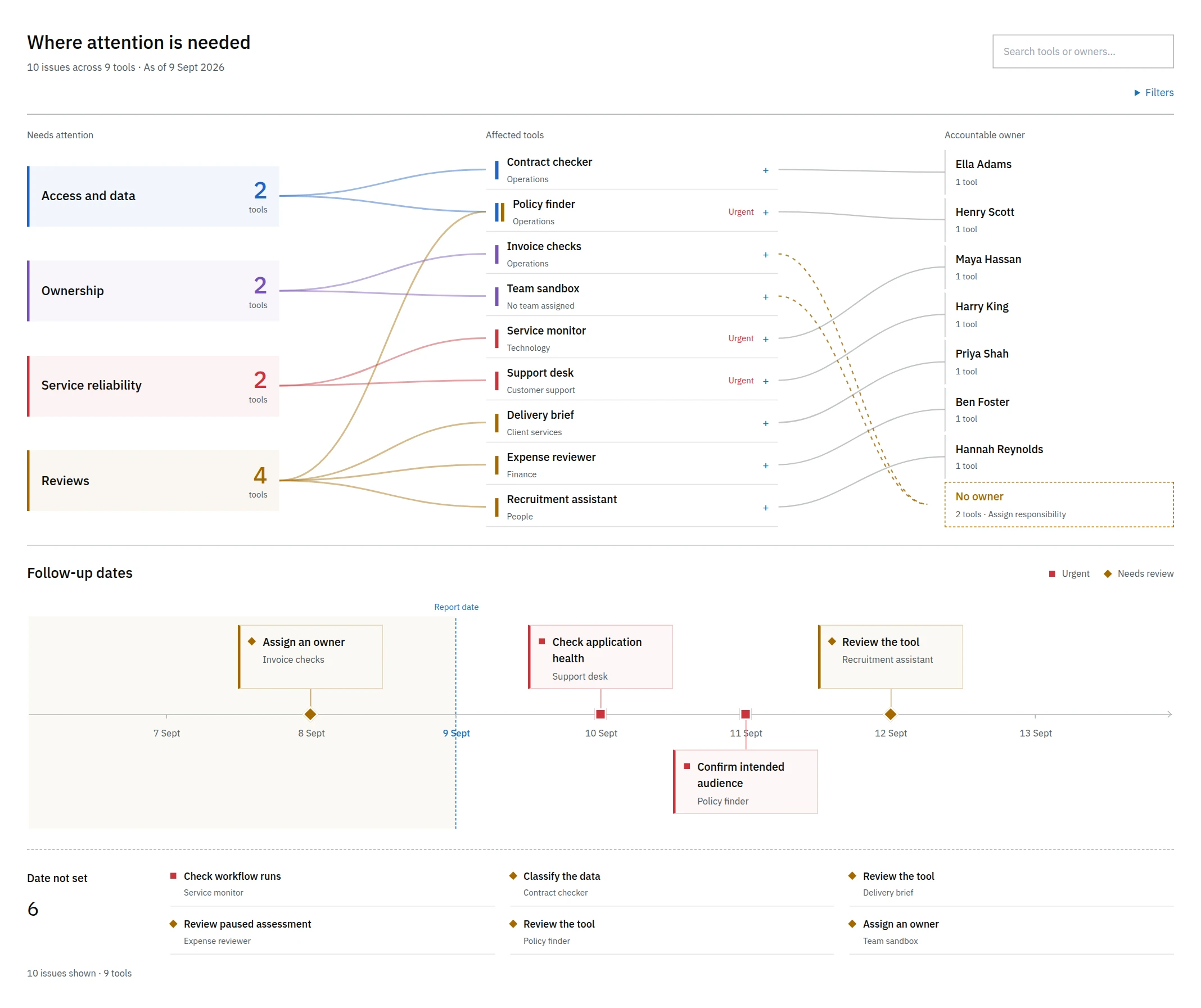
Attention lists tools with an overdue review, a missing owner or an access issue. Open an item to see which tool is affected and who is responsible.
You can record a decision against the tool so the next reviewer can see it.
Checking a capacity estimate
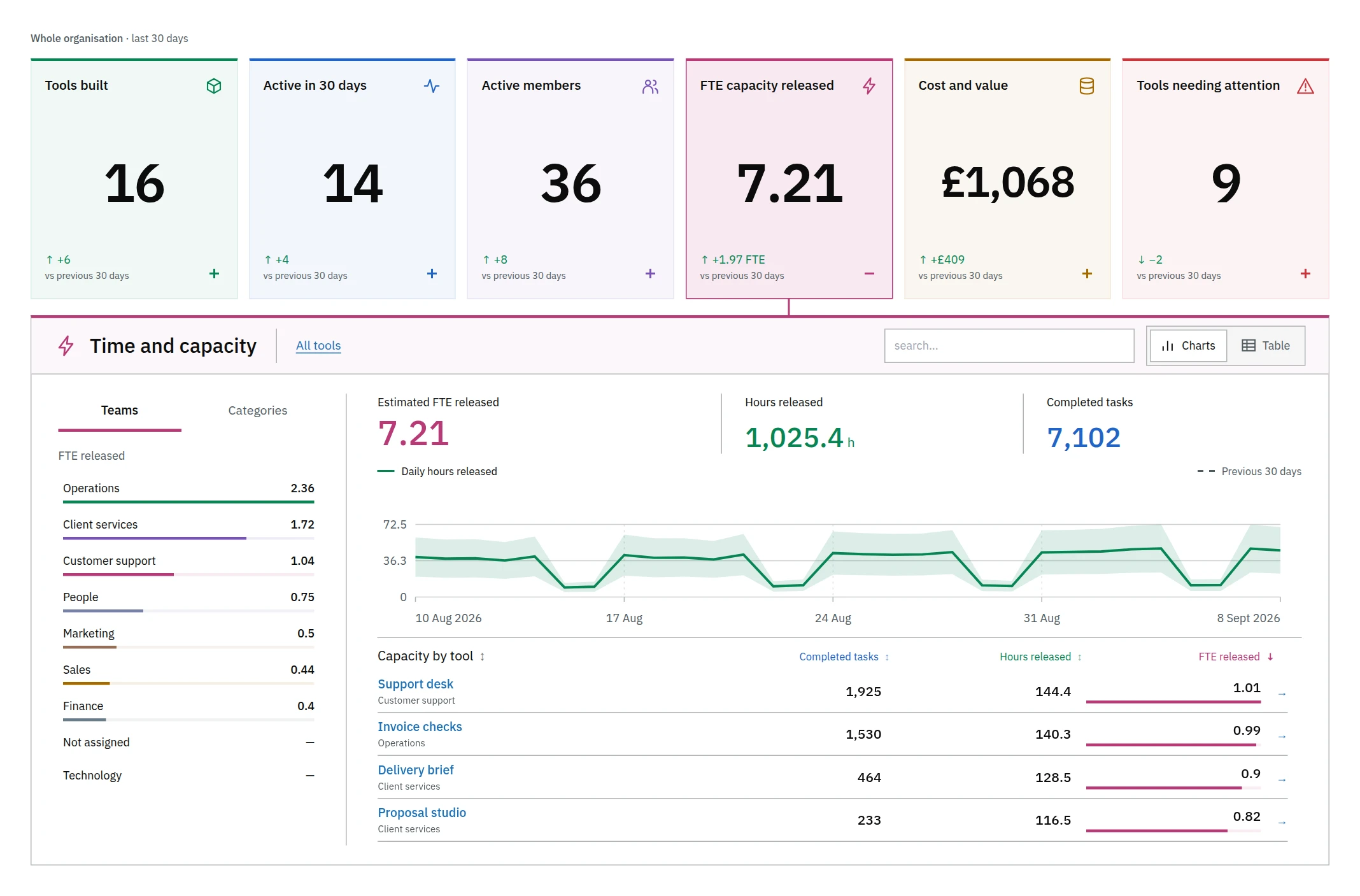
Staff capacity expresses estimated hours saved as the equivalent of full time work. It is based on completed tasks over the report’s selected period, with the assumptions shown for each tool.
Open the figure to see how much each tool contributes. Its assessment explains the sources and assumptions used in the estimate. You can correct an input or record your decision there.
How the figures are calculated
| Figure | Basis |
|---|---|
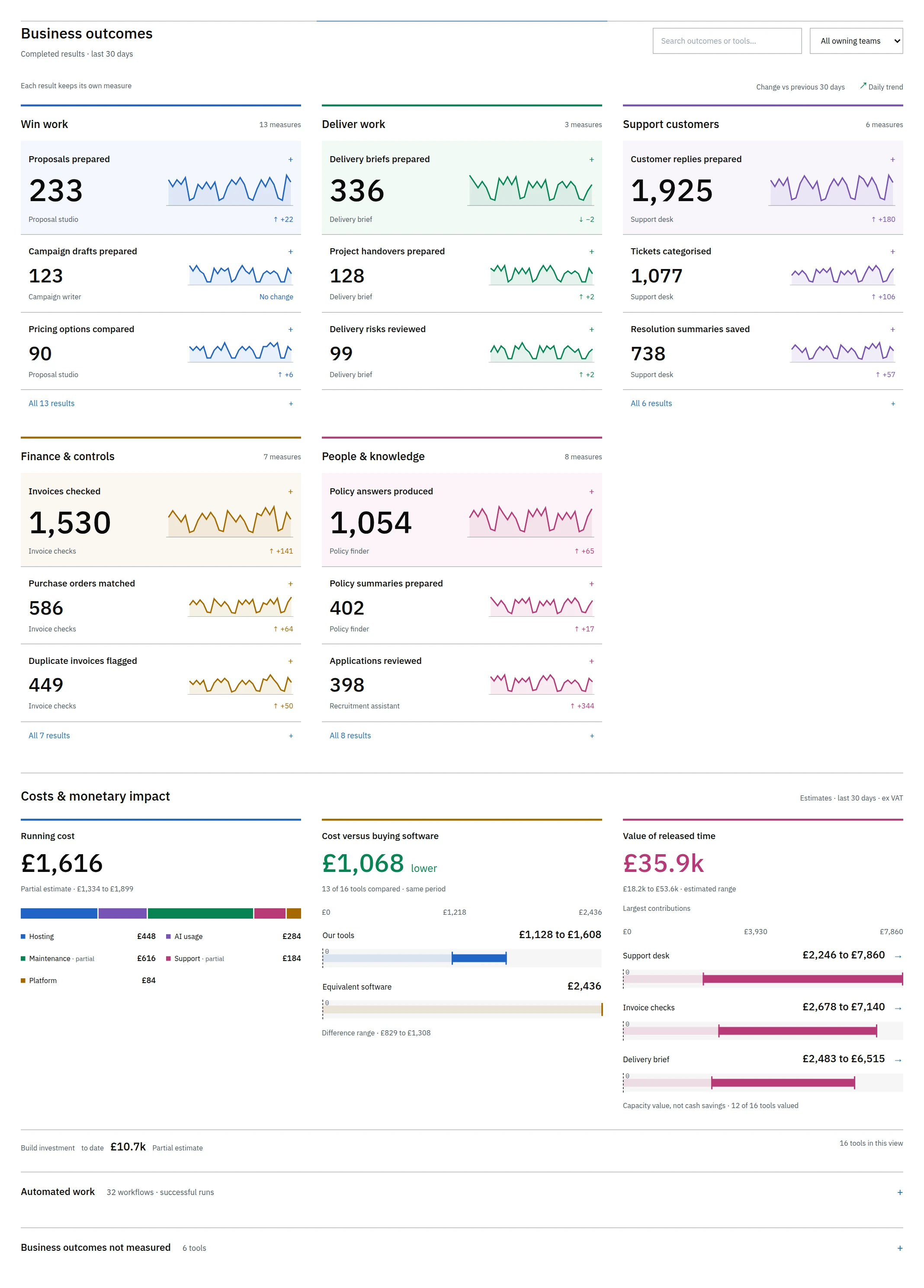
| Usage and work results | Visits, activity while signed in, completed work and workflow runs, where the tool supplies those records. |
| Build investment | The report uses recorded requests and model usage. It shows where a price is missing. |
| Time returned | Estimated time saved for eligible completed work, comparing manual and assisted effort. The assumptions need to account for time spent checking or redoing work. |
| Staff capacity | Estimated hours saved, expressed as FTE capacity. This does not measure a change in headcount. |
| Conventional build cost | An estimate of what comparable software would cost to build, based on effort and rates. It is not money already saved. |
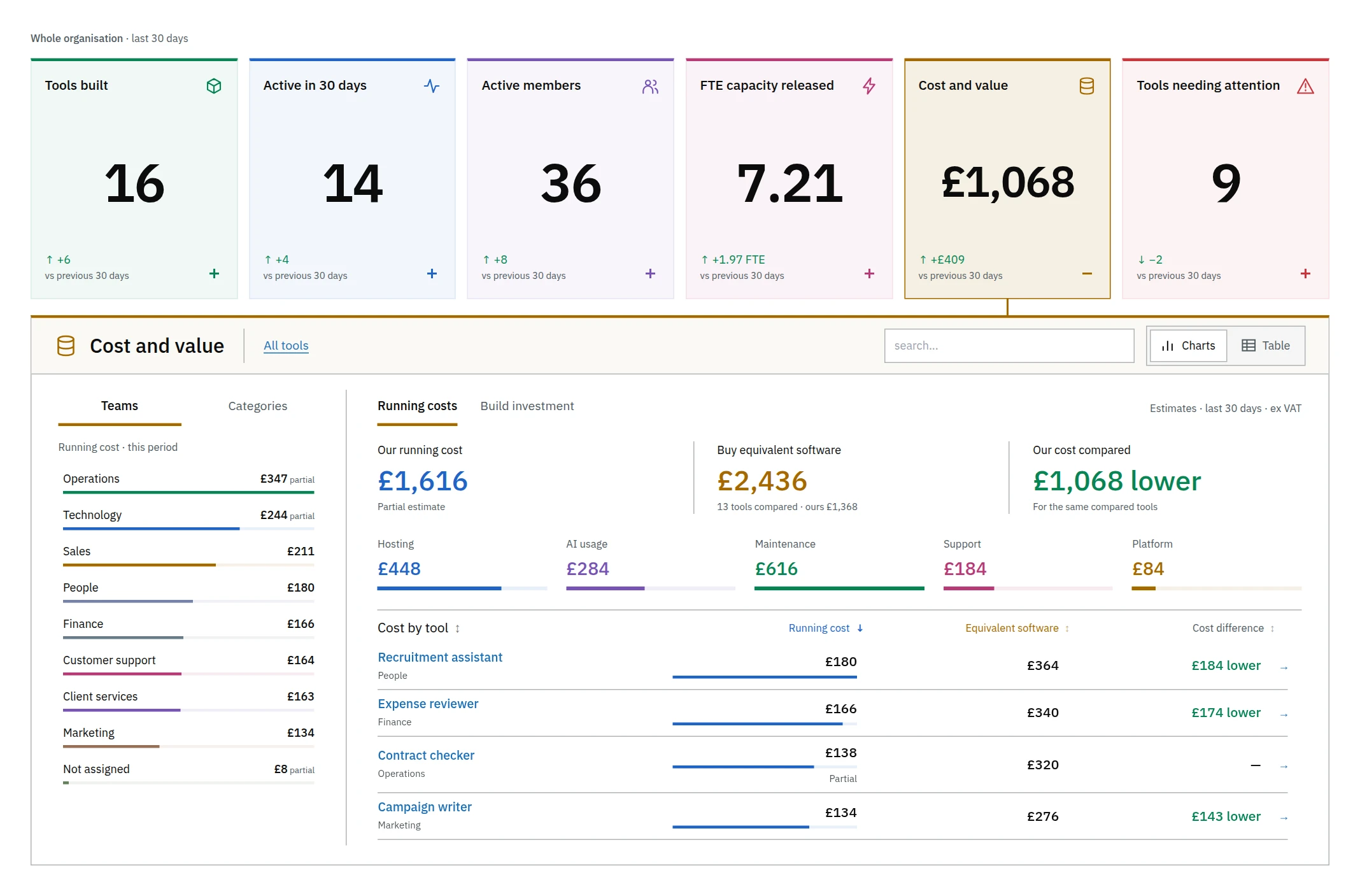
Running costs
Inspect the running cost of a tool or team. The report also estimates what you might pay for equivalent software.