Project demo
The recording shows the request desk being built and changed. It also includes an invoice review app. You can follow the requests and the changes made to each app in the project conversation.
The first version
Start a project by writing what the app should do. You can attach files to the request, such as a sketch of the screen you have in mind.
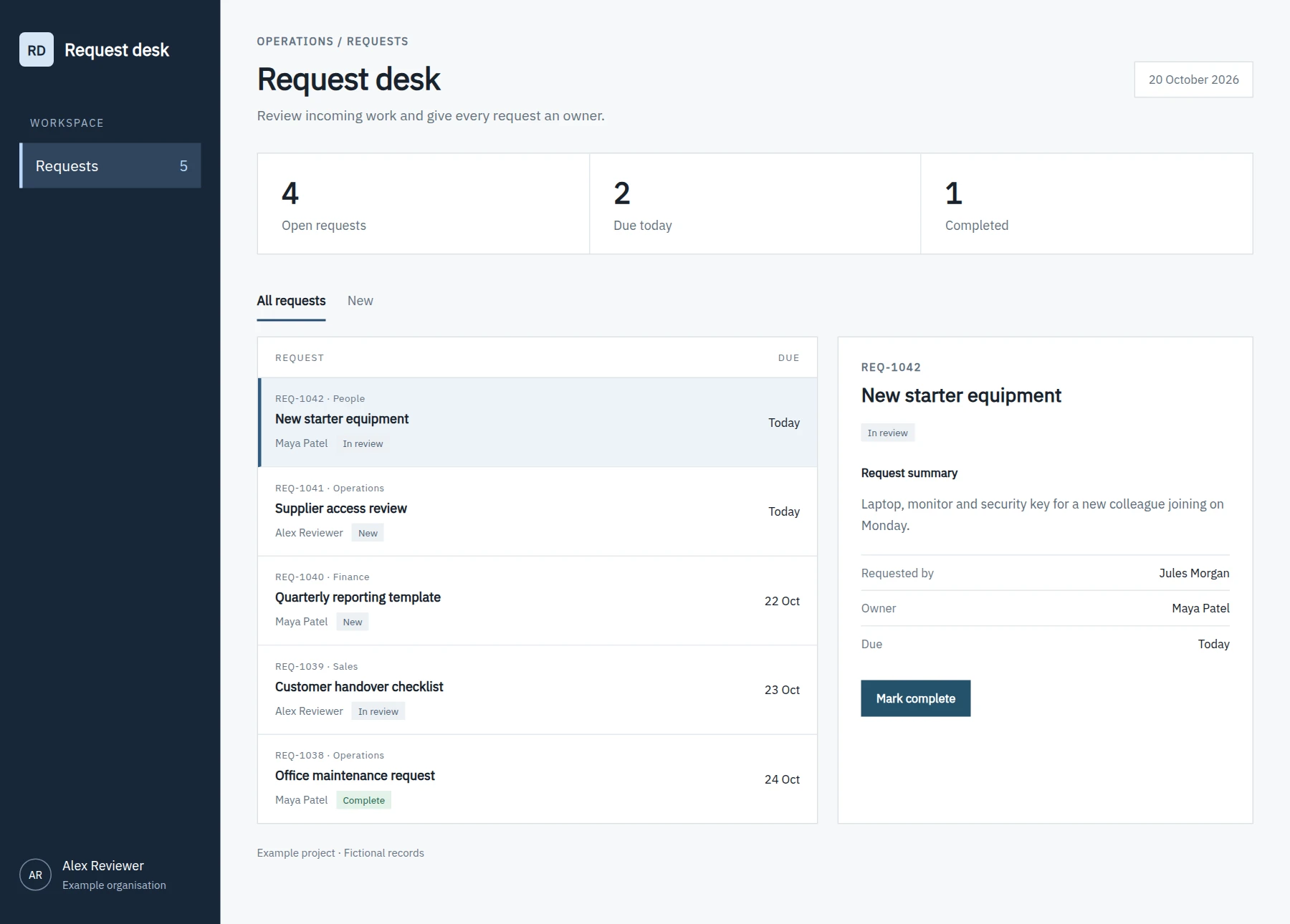
The brief asks for a list of incoming requests with owners and due dates. Codex builds the app and includes a screenshot in its reply. You can also use Claude Code for project work.
Testing and changes
Open the private preview to try the app before anyone else relies on it. You can ask for changes in the project conversation.
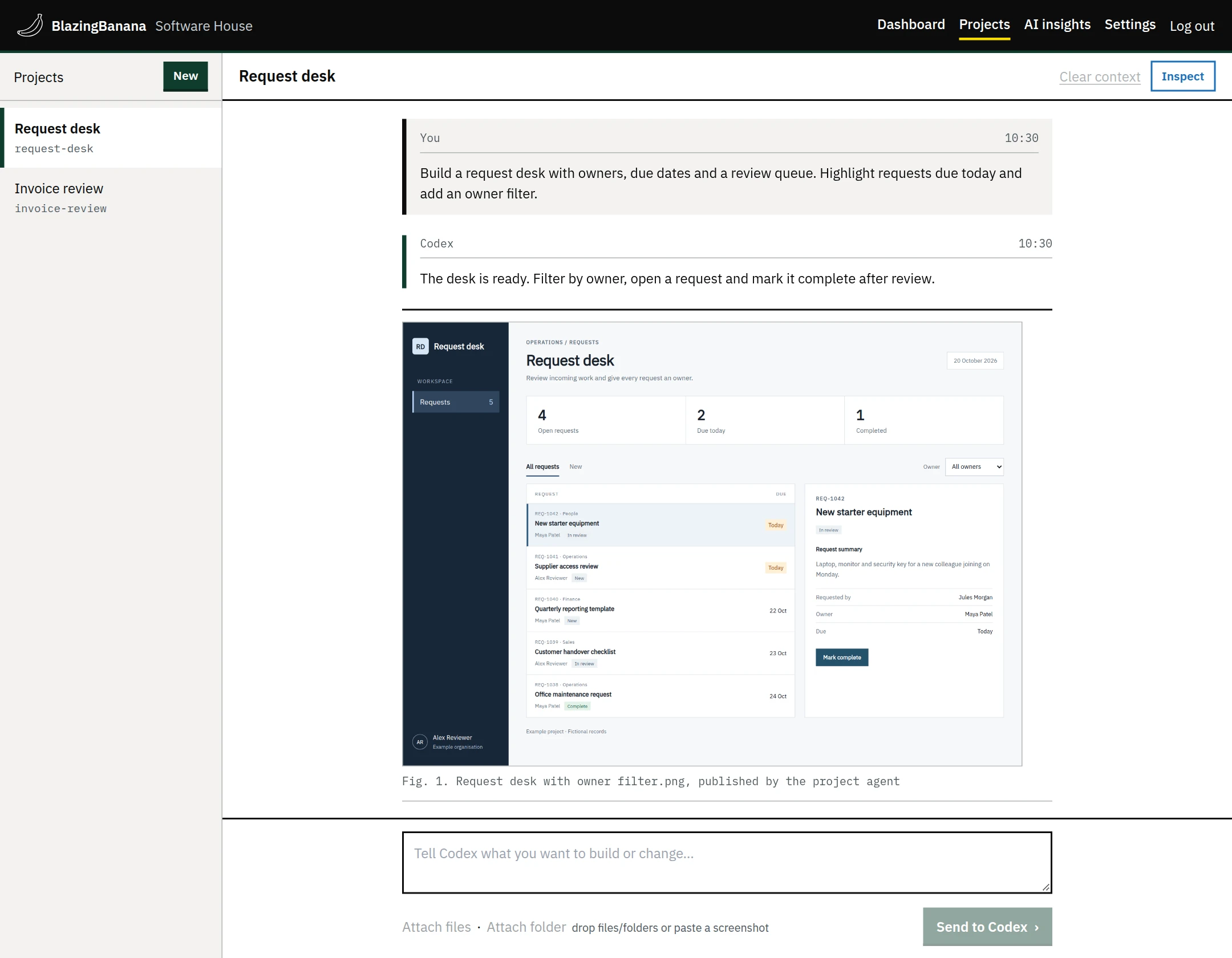
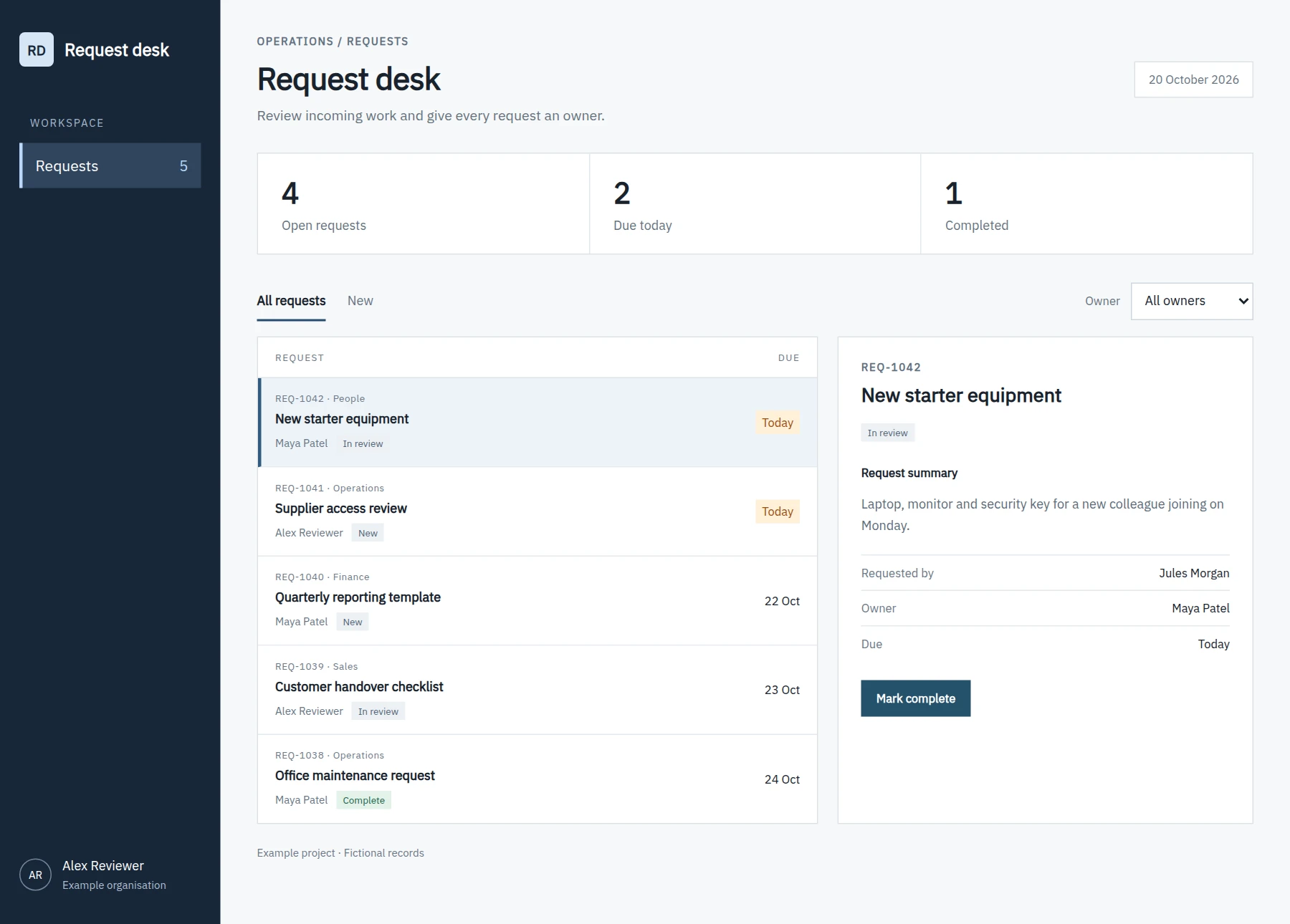
After trying the request desk, the next request asks for a filter by owner. It also asks for requests due today to stand out in the list.
Working with a colleague
A colleague with project access can read the conversation and make the next change. They can use their own supported Claude or ChatGPT subscription for that work.
Each request records who sent it. Colleagues share the project transcript; their private provider histories remain separate.
Choose your AI provider
Administrators decide whether project work uses personal accounts, company accounts or either. The account used for a request must be allowed by that policy. For API connections, provide your own OpenAI or Anthropic API keys.
Publishing a version
When the app is ready, choose who can use it and publish a version. It can be available to your organisation, selected people or the public. You can require someone else to approve publication.
Colleagues keep using that release while you work on the next change.
Request summaries
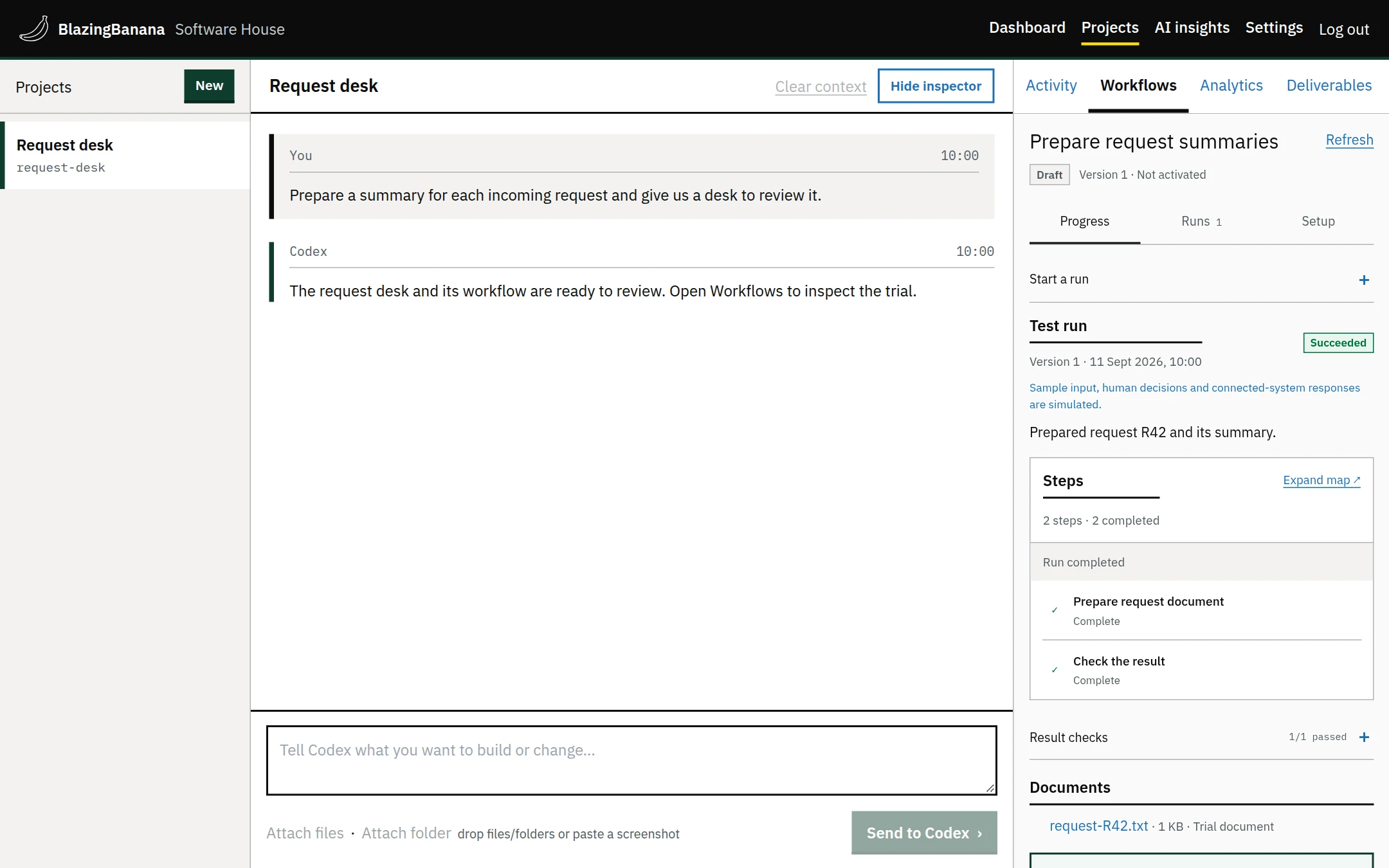
The request desk also has a workflow that prepares a summary of each request. Run a trial and check the output before activating a workflow. It can pause for someone to provide input or approve a step.
Workflows can run on a schedule or in response to an event. You can also start them on request.
Finding and using the app
Published apps appear on the dashboard for the people allowed to use them. Colleagues can search the catalogue or pin an app they use often.
The app’s report in AI insights shows its recorded use and running costs. Estimates of time saved include the assumptions behind them.
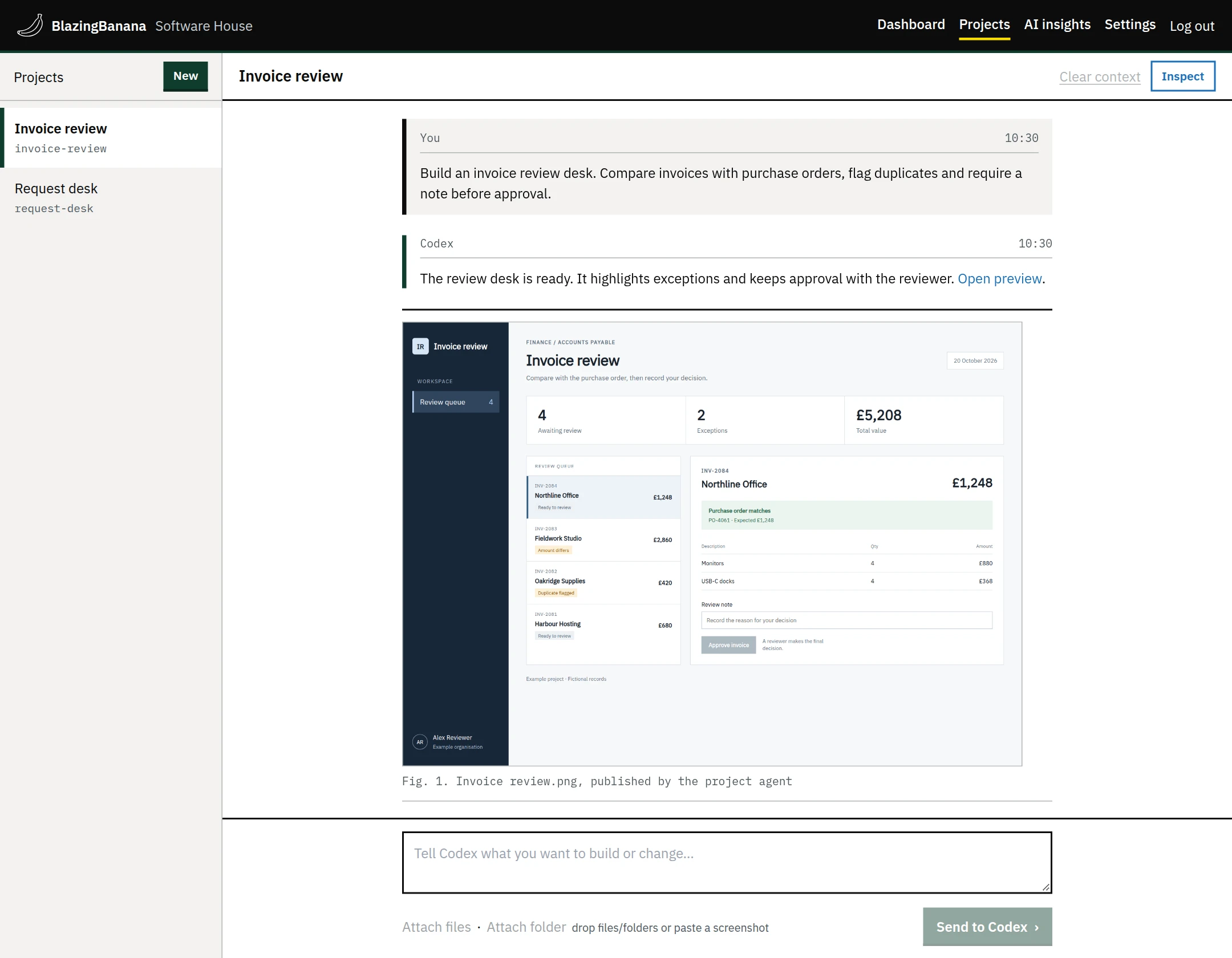
Invoice review
The invoice review app checks an invoice against its purchase order. Someone must leave a note before approving it. The app flags exceptions and blocks approval of duplicate invoices.